'
'
Option Explicit

Sub PlayBlackjack() 'ブラックジャックゲーム
    Dim PlayerHand As Integer, DealerHand As Integer, Card As Integer
    Dim PlayerResponse As VbMsgBoxResult
    Dim PlayerHandCard(10) As Integer
    Dim DealerHandCard(10) As Integer
    Dim MC, DC, M, D, I As Integer

    ' ゲームの初期化
    PlayerHand = 0
    DealerHand = 0
    ' カードを全て削除
    Dim pic As Picture
    For Each pic In ActiveSheet.Pictures
        pic.Delete
    Next pic


    M = 0
    MC = 1
    ' プレイヤーに2枚のカードを配る
    PlayerHandCard(M) = DrawCard(PlayerHand)
    Call InsertImageBasedOnNumber(PlayerHandCard(0), MC, "A15")

    M = M + 1
    MC = MC + 2

    PlayerHandCard(M) = DrawCard(PlayerHand)
    Call InsertImageBasedOnNumber(PlayerHandCard(1), MC, "A15")

    PlayerHand = PlayerHandCard(M - 1) + PlayerHandCard(M)

    ' ディーラーに2枚のカードを配る

    DealerHandCard(0) = DrawCard(DealerHand)
    DealerHandCard(1) = DrawCard(DealerHand)

    DealerHand = DealerHandCard(0) + DealerHandCard(1)

    ' プレイヤーのターン
    Do While PlayerHand < 21
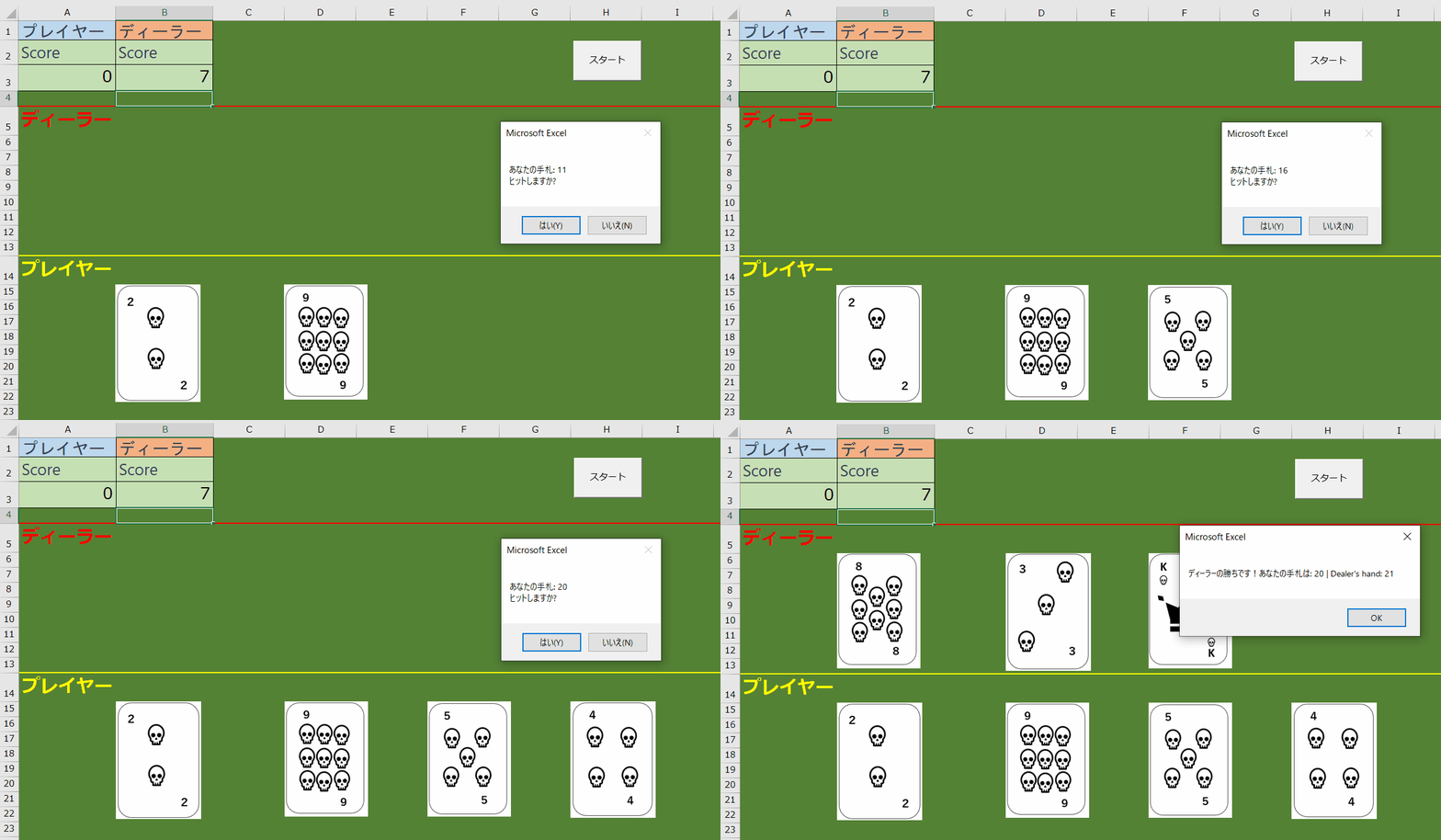
        PlayerResponse = MsgBox("あなたの手札: " & PlayerHand & vbCrLf & "ヒットしますか?", vbYesNo)
        If PlayerResponse = vbYes Then
            M = M + 1
            MC = MC + 2
            PlayerHandCard(M) = DrawCard(PlayerHand)
            Call InsertImageBasedOnNumber(PlayerHandCard(M), MC, "A15")
            PlayerHand = PlayerHand + PlayerHandCard(M)
            Application.Wait (Now + TimeValue("0:00:01")) ' カードを引くために1秒待機
        Else
            Exit Do
        End If
    Loop

    ' プレイヤーがバストした場合
    If PlayerHand > 21 Then
        MsgBox "あなたがバストしました!ディーラーの勝ちです。"
        Range("B3") = Range("B3") + 1
        Call Win_Lose
        Exit Sub
    End If

    ' ディーラーのターン
    D = 2
    Do While DealerHand < 17
        DealerHandCard(D) = DrawCard(DealerHand)
        DealerHand = DealerHand + DealerHandCard(D)
        D = D + 1
    Loop


    'ディーラーのかーどを表示

    DC = 1
    For I = LBound(DealerHandCard) To UBound(DealerHandCard)
        If DealerHandCard(I) > 0 Then
            Call InsertImageBasedOnNumber(DealerHandCard(I), DC, "A6")
            Application.Wait (Now + TimeValue("0:00:02")) ' カードの表示のため2秒待機
            DC = DC + 2
        End If
    Next I

    ' ディーラーがバストした場合
    If DealerHand > 21 Then
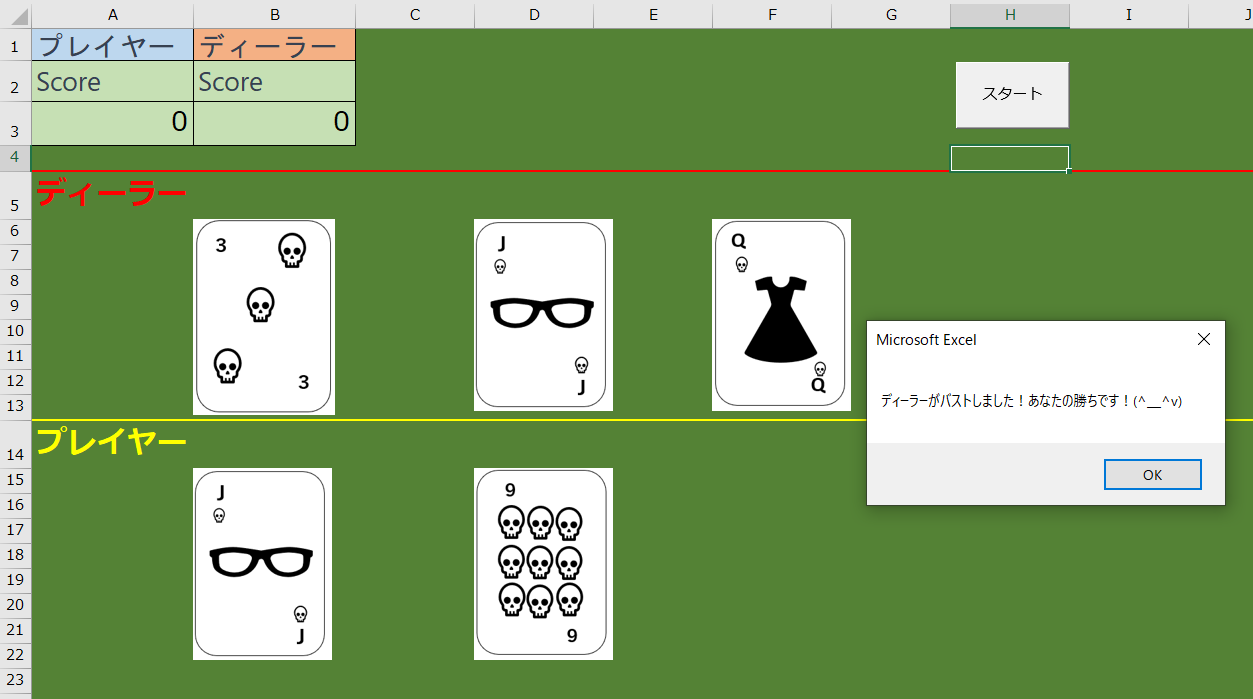
        MsgBox "ディーラーがバストしました!あなたの勝ちです!(^_^v)"
        Range("A3") = Range("A3") + 1
        Call Win_Lose
        Exit Sub
    End If


    ' 勝者を決定
    If PlayerHand > DealerHand Then
        MsgBox "あなたの勝ちです!(^_^v) あなたの手札は札: " & PlayerHand & " | Dealer's hand: " & DealerHand
        Range("A3") = Range("A3") + 1
    ElseIf PlayerHand < DealerHand Then
        MsgBox "ディーラーの勝ちです!あなたの手札は: " & PlayerHand & " | Dealer's hand: " & DealerHand
        Range("B3") = Range("B3") + 1
    Else
        MsgBox "引き分けです!あなたの手札は: " & PlayerHand & " | Dealer's hand: " & DealerHand
    End If

    Call Win_Lose

End Sub

Function DrawCard(CurrentHand As Integer) As Integer
    Dim Card As Integer
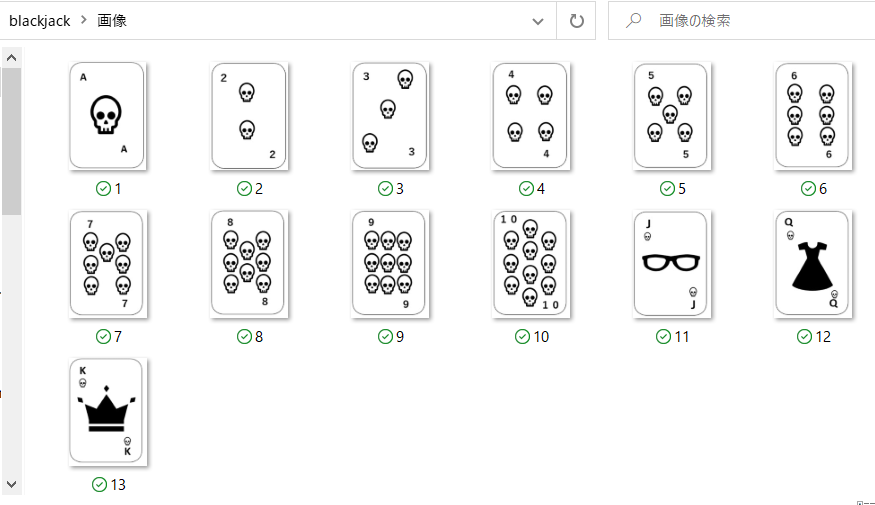
    Card = Int((13 - 1 + 1) * Rnd + 1) ' 1から13の乱数を生成
    If Card > 10 Then Card = 10 ' 点数が10を超える場合、10にする
    DrawCard = Card
    Application.Wait (Now + TimeValue("0:00:01")) ' カードの表示のため1秒待機
End Function


Function InsertImageBasedOnNumber(ByVal Number As Integer, ByVal MC As Integer, ByVal CRng As String)
    Dim imagePath As String
    Dim img As Picture
    Dim targetSheet As Worksheet
    Dim targetRange As Range
    Dim targetSize As Double
    Dim scaleFactor As Double

    ' 画像ファイルの保存先を指定します(ThisWorkbookと同じフォルダ内の「画像」フォルダ)

    If Number = 10 Then
    ' numberが10の場合、10~13番号をランダムに生成
        Randomize
        Number = Int((13 - 10 + 1) * Rnd + 10) '10以上は、10~13にランダムの絵札に変換する。
    End If

    imagePath = ThisWorkbook.Path & "\画像\" & Number & ".png"

    ' 画像を挿入するワークシートと範囲を指定します
    Set targetSheet = ThisWorkbook.Worksheets("Sheet1") ' ここにあなたが画像を挿入したいワークシート名を入力してください
    Set targetRange = targetSheet.Range(CRng).Offset(0, MC) ' 画像を挿入したいセル「D10」を指定してください

    ' 画像を挿入します
    Set img = targetSheet.Pictures.Insert(imagePath)

    ' 画像の大きさを5cmに設定します(幅もしくは高さの大きい方を5cmに調整)
    targetSize = Application.CentimetersToPoints(5) ' 5cmをポイントに変換
    If img.Width > img.Height Then
        scaleFactor = targetSize / img.Width
    Else
        scaleFactor = targetSize / img.Height
    End If

    ' 画像を指定したセルに配置し、大きさを設定します
    With img
        .Left = targetRange.Left
        .Top = targetRange.Top
        .Width = .Width * scaleFactor
        .Height = .Height * scaleFactor
    End With
End Function

 Private Sub Win_Lose()


    '先に10勝つした方が勝ち!
    If Range("A3") = 10 Then
            MsgBox "あなたが先に10勝しました!(^_^v)"
            Range("A3") = 0: Range("B3") = 0
    ElseIf Range("B3") = 10 Then
            MsgBox "ディーラーが先に10勝しました!"
            Range("A3") = 0: Range("B3") = 0
    End If

End Sub
'
'